Check an AI answer
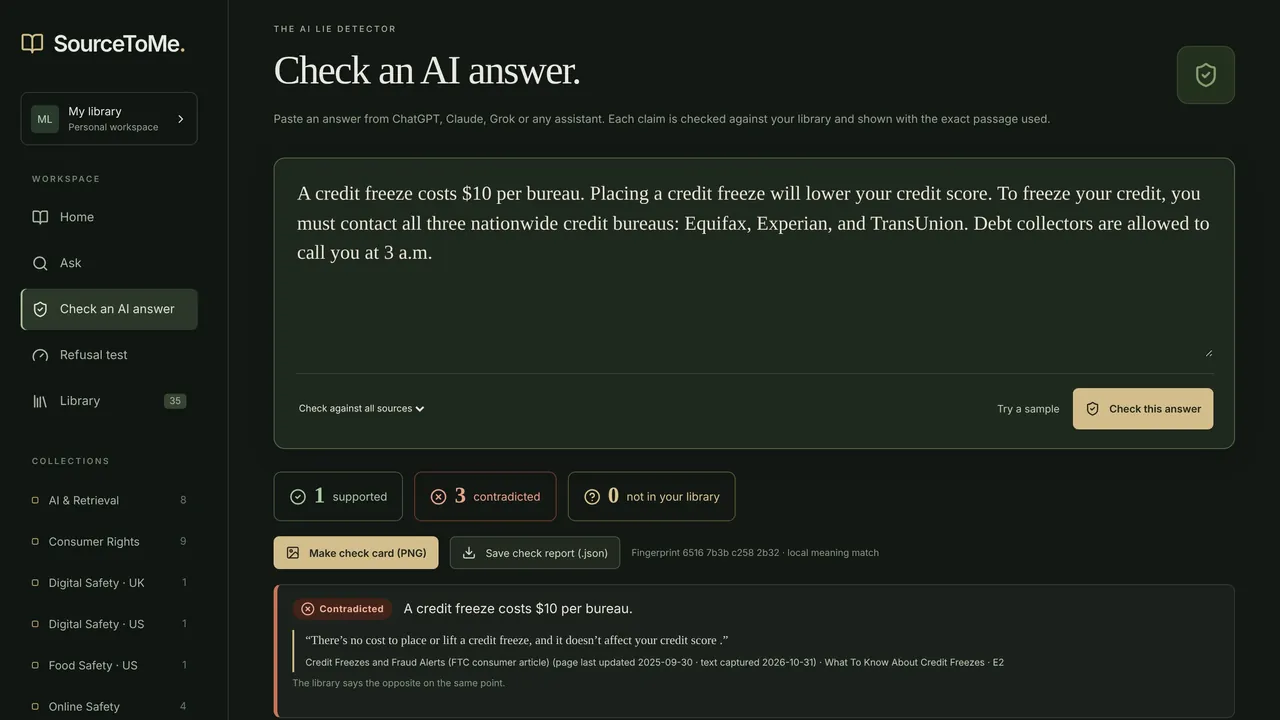
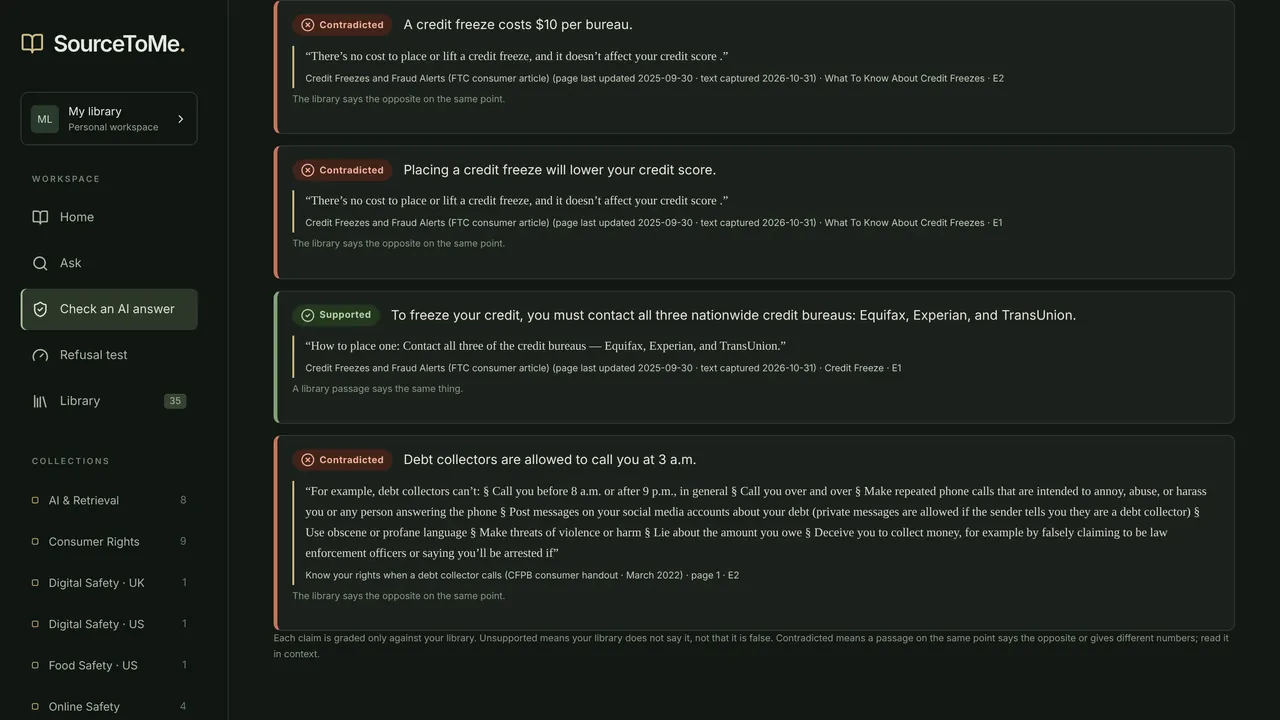
Every claim is marked supported, contradicted or not in your library, with the exact quote and source. Save the result as a check card (PNG) or a report (.json).
Windows app · Free trial, then $19.99
Check any AI answer against your own files.
Paste an answer from ChatGPT, Copilot or any other assistant. SourceToMe splits it into claims and checks each one against the documents in your library: supported, contradicted or not in your library, with the exact quote and source next to it.
Everything below is in the version on the Microsoft Store today.
Every claim is marked supported, contradicted or not in your library, with the exact quote and source. Save the result as a check card (PNG) or a report (.json).
Ask in plain words. SourceToMe quotes the passages that answer it, each tagged with its source, and a coverage meter says whether the evidence is strong, thin or missing.
When two passages make opposite claims or give different numbers, it shows both side by side instead of blending them. Different editions of one document get an “editions differ” note.
One click shows the app's outbound connections, name lookups and the local address it serves on (127.0.0.1 only). A badge always says Offline or Cloud AI.
50 questions its library can't answer. Run it and watch it decline instead of making something up. In our tests it refused 50 of 50.
Consumer rights, digital safety (US and UK), food safety, AI prompting and retrieval, and programming, with attribution and license notes for each. Or bring your own PDF and get a cited answer with the timed first-run guide.
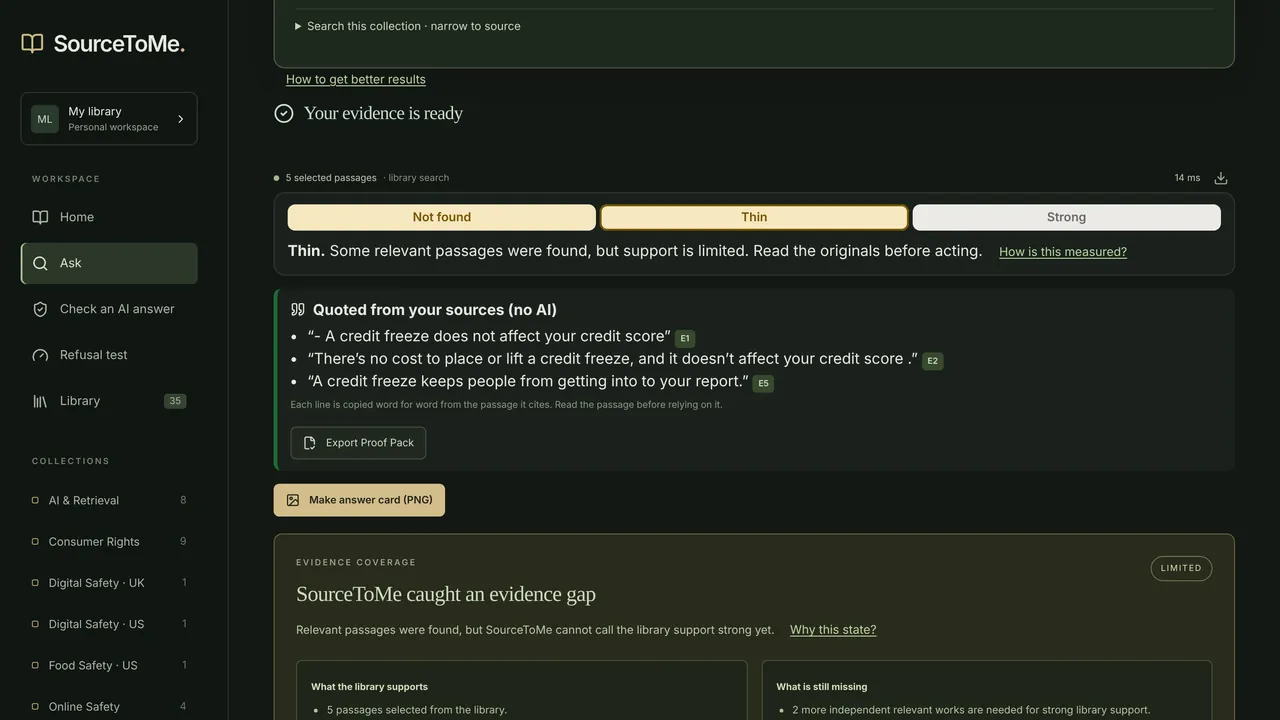
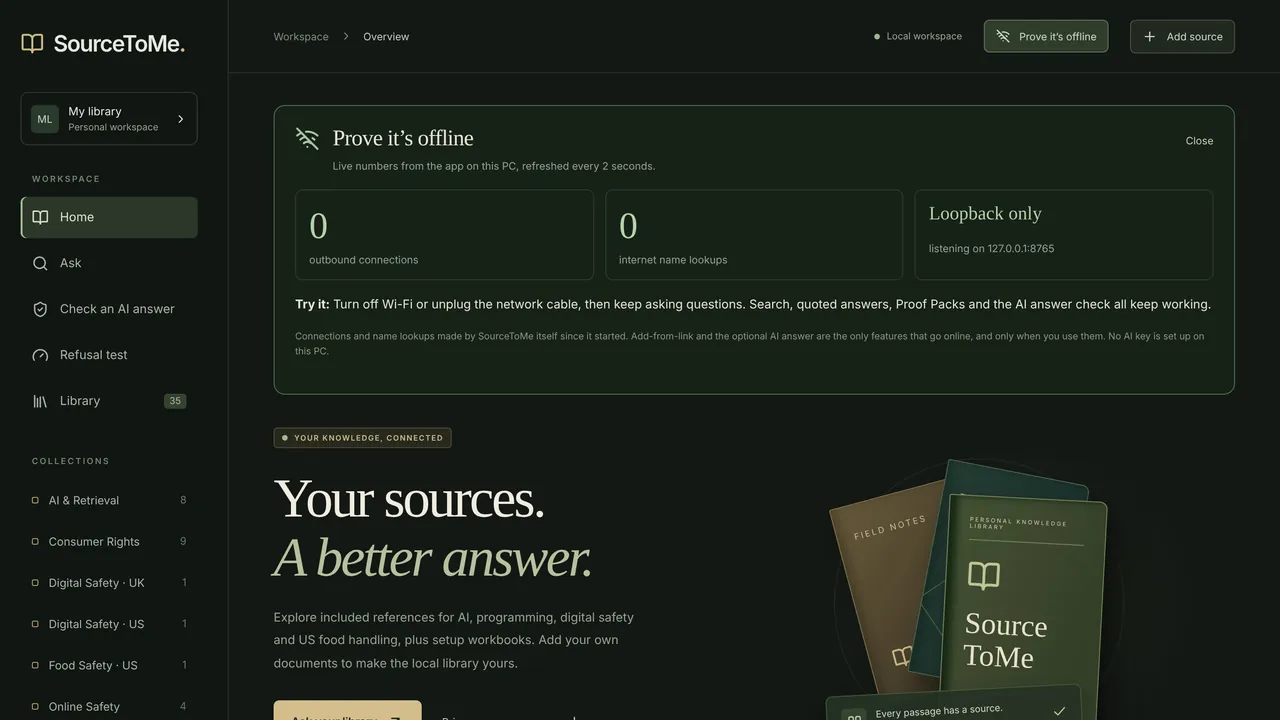
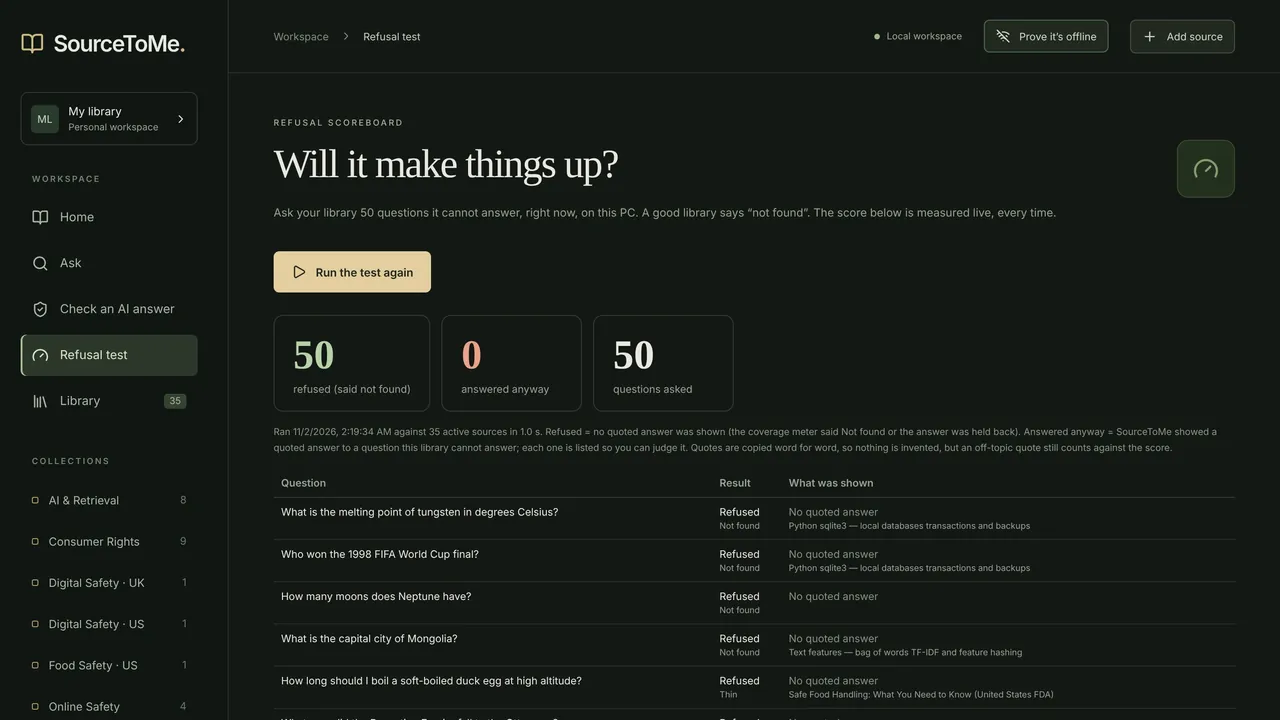
Screenshots from the Microsoft Store listing.
SourceToMe works fully offline by default. If you want a written answer in plain sentences, turn on Cloud AI in Settings and add your own OpenAI key, or point it at an OpenAI-compatible endpoint you choose.
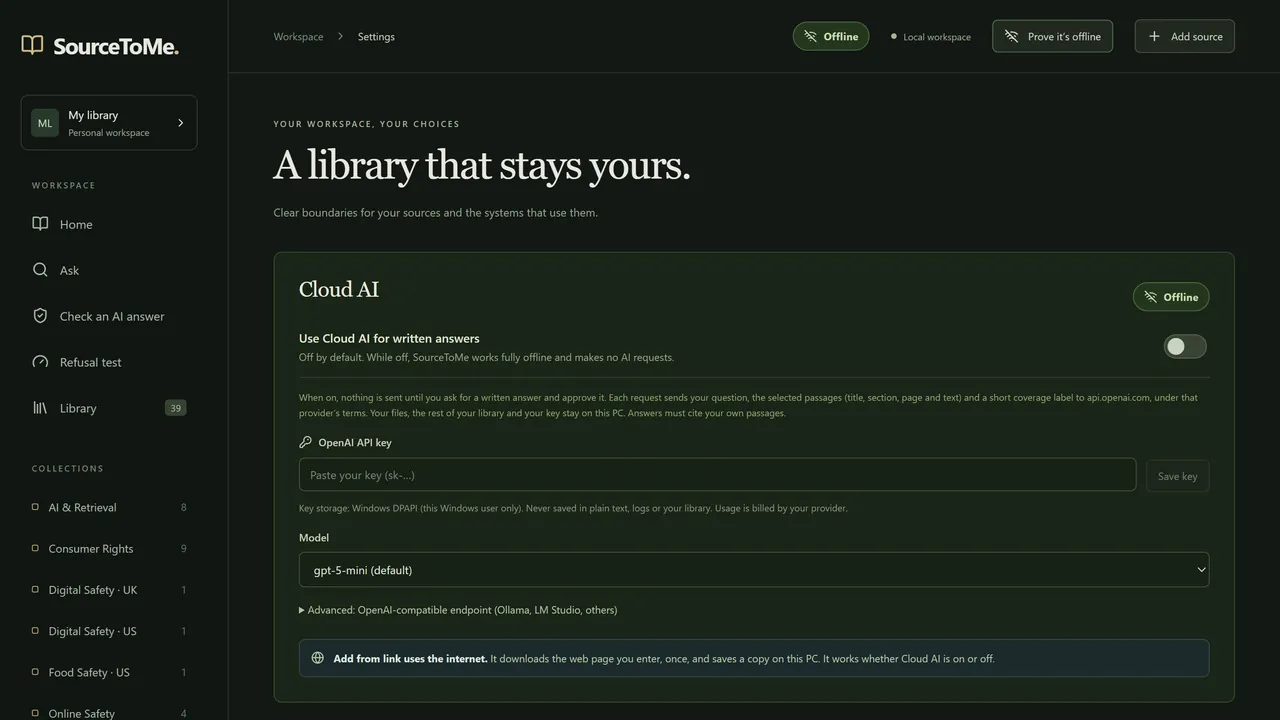
Try it free, then $19.99 on the Microsoft Store. Microsoft handles the trial, payment and licensing. Optional Cloud AI is billed separately by your provider.
No. Search, answers, checks and the refusal test all run on your PC with no account and no AI key.
Claim checking matches meaning on your PC and is a strong hint, not a guarantee. A claim can only be checked against what's in your library, so read the quotes before you rely on a result. The disagreement check is deliberately strict: it only fires on clear cases.
Windows PCs with x64 or Arm64 processors (native on Windows on Arm), installed from the Microsoft Store.
Email kyle@dripstaticstudios.com or see Support.
Sister app
A private notebook and pen-friendly canvas for Windows. Free, no account, AI only when you choose it.
Try it free on the Microsoft Store, then $19.99.
Built by Dripstatic Studios · Published by Lloyd's Local Services LLC